SMS vs Email Review Requests: Which Gets More Reviews?
Quick Answer
SMS review requests get opened and answered faster, with open rates near 98% versus around 20% for email. Email still sends the most review requests overall and works better for detailed, branded messages and older audiences. For most local businesses, the best results come from using both SMS for speed right after service and email for reach and follow-up. The right channel depends on your customers, your timing, and staying compliant with texting and email laws.
Introduction
Getting reviews comes down to one thing: asking at the right moment, on the right channel. You have two main ways to reach a happy customer: a text message or an email, and they behave very differently. One lands on the phone in seconds and gets read almost every time. The other reaches a wider audience but fights for attention in a crowded inbox.
Most businesses pick one channel by habit and leave reviews on the table. The better approach is to understand what each does well, then match it to your customers and your timing. This guide breaks down the real performance data for SMS versus email review requests, shows when to use each, covers the compliance rules you cannot skip, including important Google review guidelines, and gives you ready-to-use templates for both.
SMS vs Email Review Requests: Quick Comparison
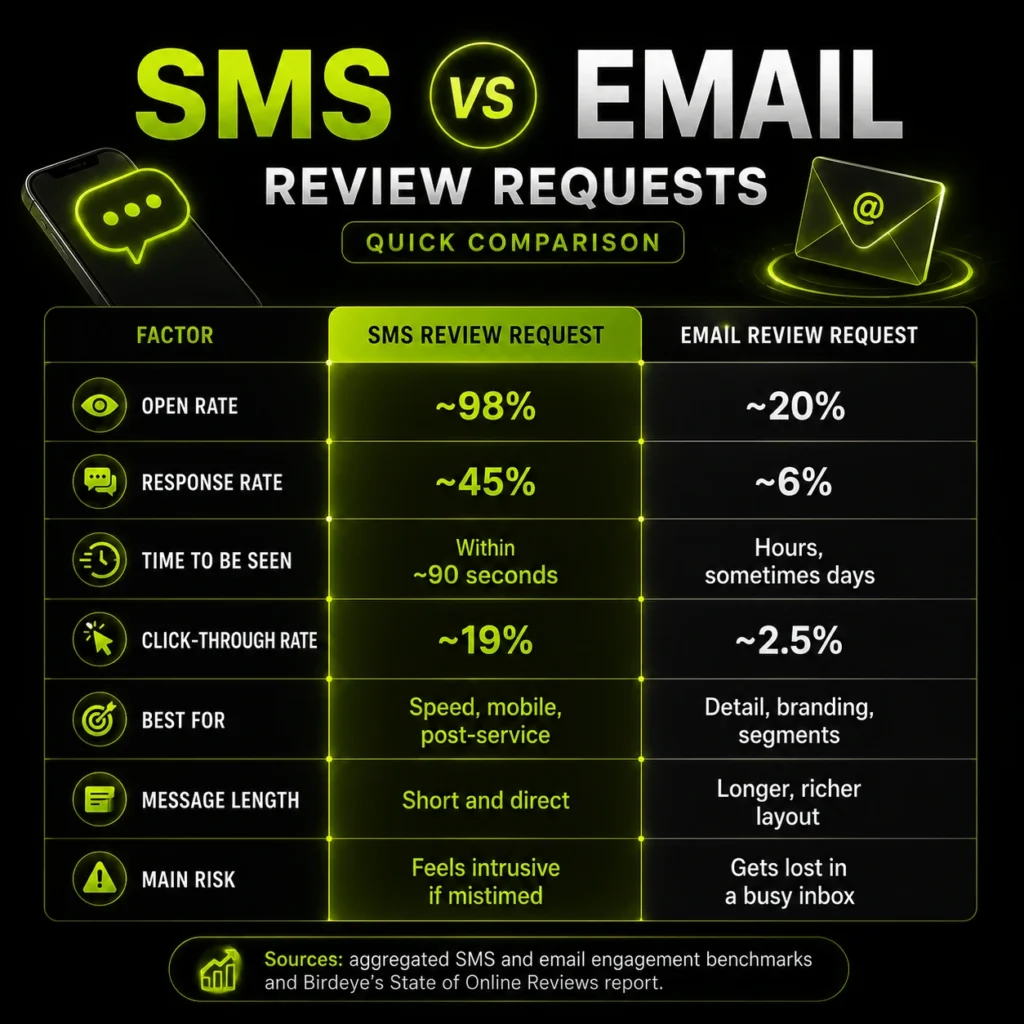
Here is how the two channels stack up at a glance, so you can see the trade-offs before deciding.
| Factor | SMS review request | Email review request |
|---|---|---|
| Open rate | ~98% | ~20% |
| Response rate | ~45% | ~6% |
| Time to be seen | Within ~90 seconds | Hours, sometimes days |
| Click-through rate | ~19% | ~2.5% |
| Best for | Speed, mobile, post-service | Detail, branding, segments |
| Message length | Short and direct | Longer, richer layout |
| Main risk | Feels intrusive if mistimed | Gets lost in a busy inbox |
Sources: aggregated SMS and email engagement benchmarks and Birdeye’s State of Online Reviews report.
What Is an SMS Review Request?
An SMS review request is a short text message asking a customer to leave a review, usually with a direct link to your review page. It is designed for speed and simplicity, landing straight on the customer’s phone moments after their visit.
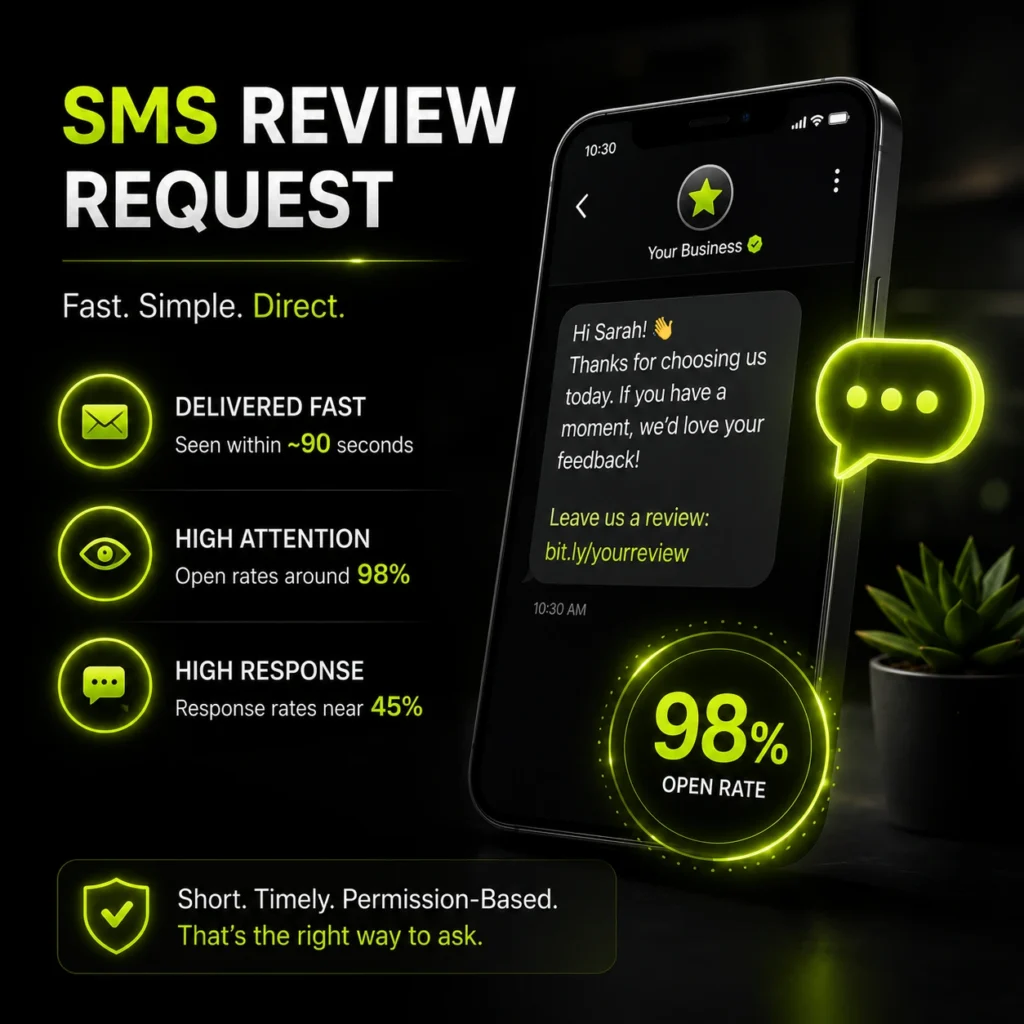
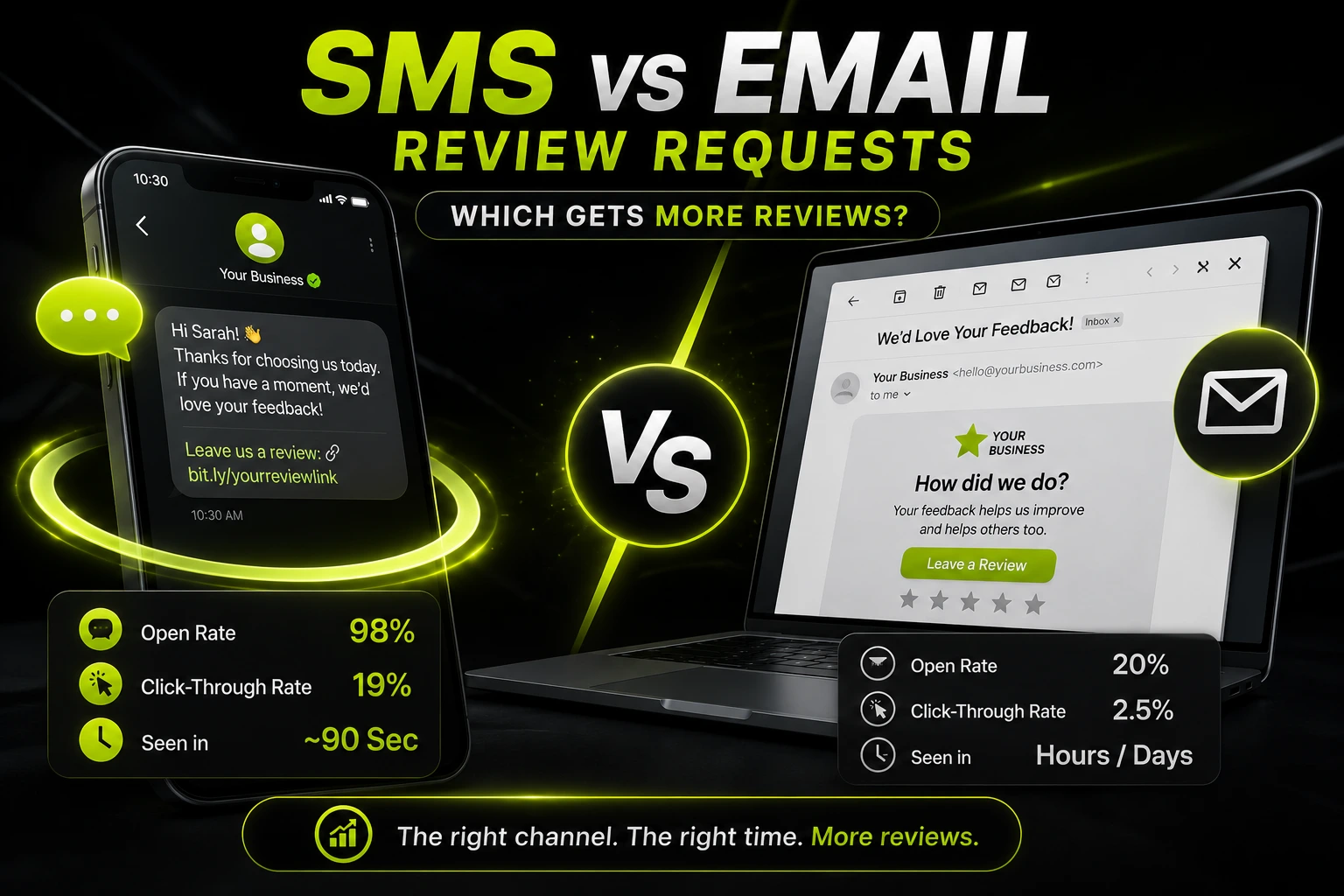
The strength of SMS is attention. Text messages see open rates around 98% and response rates near 45%, compared with roughly 20% opens and 6% responses for email. Most texts are read within about 90 seconds, which makes SMS ideal for catching customers while the experience is still fresh. The catch is that texts must be brief, well-timed, and permission-based, or they feel intrusive. Similar principles apply to social media management, where timely customer engagement can significantly influence brand perception.
What Is an Email Review Request?
An email review request is a message sent to a customer’s inbox asking for a review, with space for your branding, a personal note, and a clear link. It trades the instant visibility of SMS for room to say more and look polished.
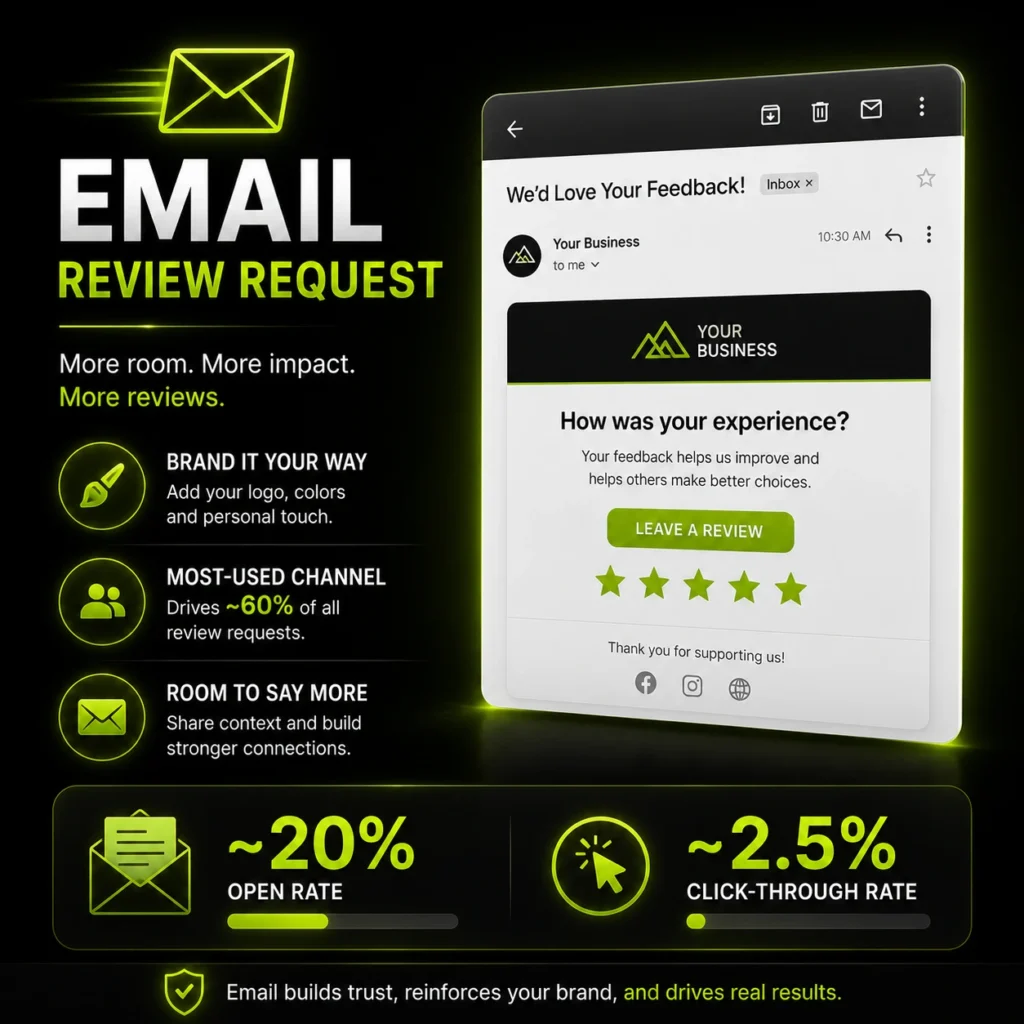
Email remains the workhorse of review generation. According to Birdeye’s State of Online Reviews report, email accounts for around 60% of all review requests, making it the most-used channel. It suits businesses that want to reinforce their brand, personalise the message, or include extra context. The downside is competition: inboxes are crowded, so many requests go unseen, which is why open rates sit far below SMS. For businesses facing broader reputation challenges, review generation is often combined with negative content removal to strengthen overall online visibility and trust.
SMS vs Email: What the Performance Data Shows
On raw engagement, SMS wins clearly, but the full picture is more balanced than the headline numbers suggest.
The speed and visibility gap is large:
- SMS open rates reach about 98%, nearly five times email’s 20 to 28%.
- SMS click-through rates sit around 19%, versus roughly 2.5% for email.
- Around 84 to 86% of consumers have opted in to receive texts from businesses.
But SMS is not bulletproof. Birdeye’s data shows SMS click-through rates for review requests fell from 8% in 2023 to 6% in 2024, as spam texts and AI-driven scams made people warier of links. Stricter carrier filtering also limits reach. So while SMS still outperforms email on attention, the gap is narrowing, and email’s steady, brandable reach keeps it relevant.
When to Use SMS for Review Requests
SMS is the better choice when speed and timing matter most. Reach for it in these situations:
- Right after an in-person visit, appointment, or service is completed.
- For mobile-first customers who rarely check email.
- When you have a phone number and clear consent to text.
- For quick, single-action asks with a direct review link.
- In industries with immediate service moments, like restaurants, salons, clinics, and home services.
The rule of thumb: if the good experience just happened and the customer has their phone in hand, SMS captures that moment better than anything else.
When to Use Email for Review Requests
Email is the stronger option when reach, detail, or branding matter more than instant speed. Choose email when:
- You want to include your logo, branding, and a personal message.
- The customer relationship is email-based, such as B2B or online services.
- You are contacting older demographics who prefer email.
- You need to segment or automate large batches of requests.
- You want to follow up on customers who did not respond to a text.
Email also gives you space to explain why the review matters, which can lift response quality even if fewer people open the message.
Why the Best Answer Is Usually Both SMS & Email Review Requests?
For most local businesses, SMS versus email is a false choice. The strongest review generation strategy uses both channels together, each doing what it does best.
A simple combined approach works like this: send an SMS shortly after service to catch the customer while the experience is fresh, then follow up a day or two later by email for anyone who did not act. The text captures immediate, high-intent moments, and the email sweeps up the rest. Birdeye notes that a multi-channel approach is often the most effective way to maximise reach and results. This is exactly what a structured review generation system is built to automate.
How to Automate Review Requests
Manual review requests do not scale. Automation sends the right message, on the right channel, at the right moment, without anyone remembering to do it. Here is how a working setup fits together:
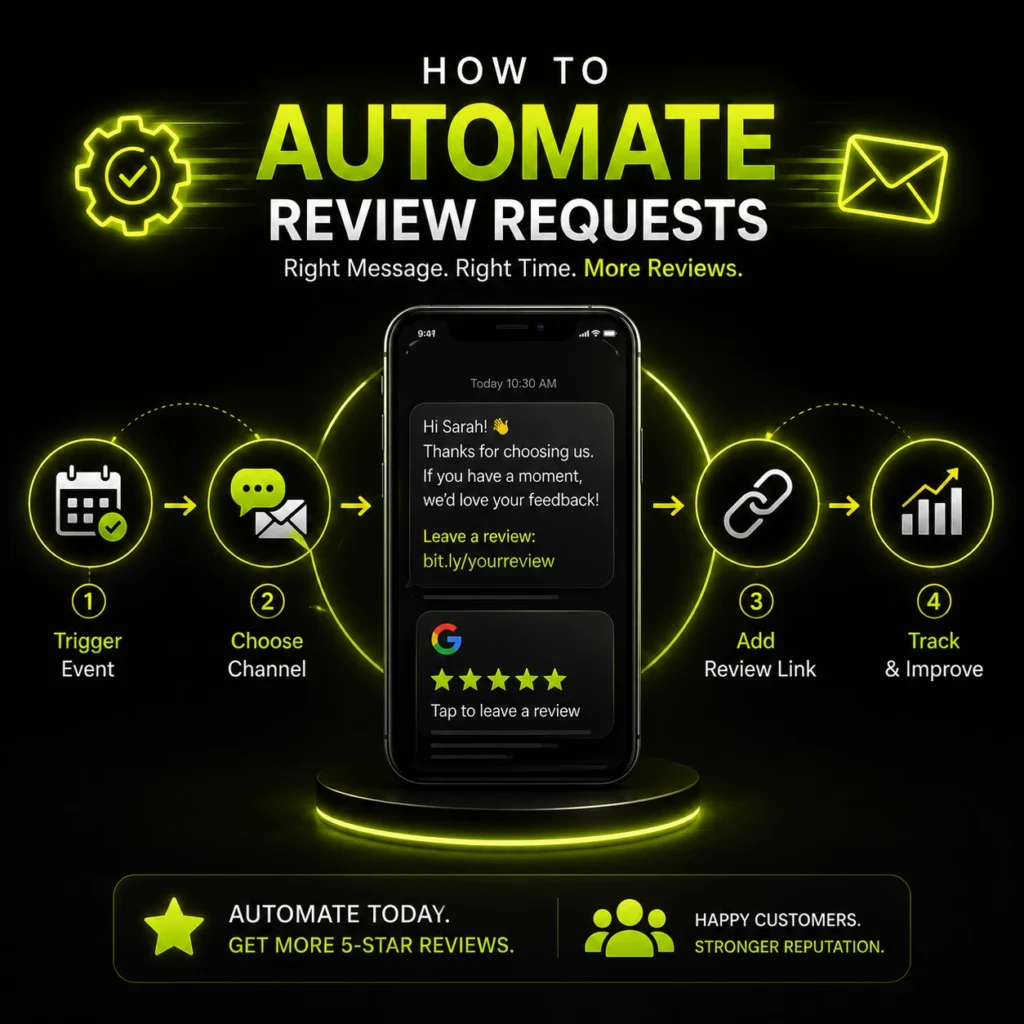
- Set a trigger. Fire the request off a real event: a completed appointment, a closed job, a paid invoice, or a checkout. The trigger is what keeps the timing consistent.
- Choose the channel by contact data. Send SMS when you have a mobile number and consent, and fall back to email when you only have an address.
- Build a short sequence. Start with an SMS soon after service, then a single email follow-up a day or two later for non-responders. Stop there.
- Insert a direct review link. Auto-populate each message with a trackable link to your Google Business Profile so the customer taps once and lands on the review box.
- Sync with your CRM or booking system. Pull customer names and service details automatically so every message feels personal, not templated.
- Track and adjust. Watch open, click, and completion rates by channel, then shift the mix toward whatever converts best for your customers.
Most local businesses do not have time to run this by hand, which is exactly what a managed review generation system automates end-to-end.
Common Mistakes That Kill Review Requests
Even a good channel fails when the request is handled badly. These are the errors that quietly sink response rates.
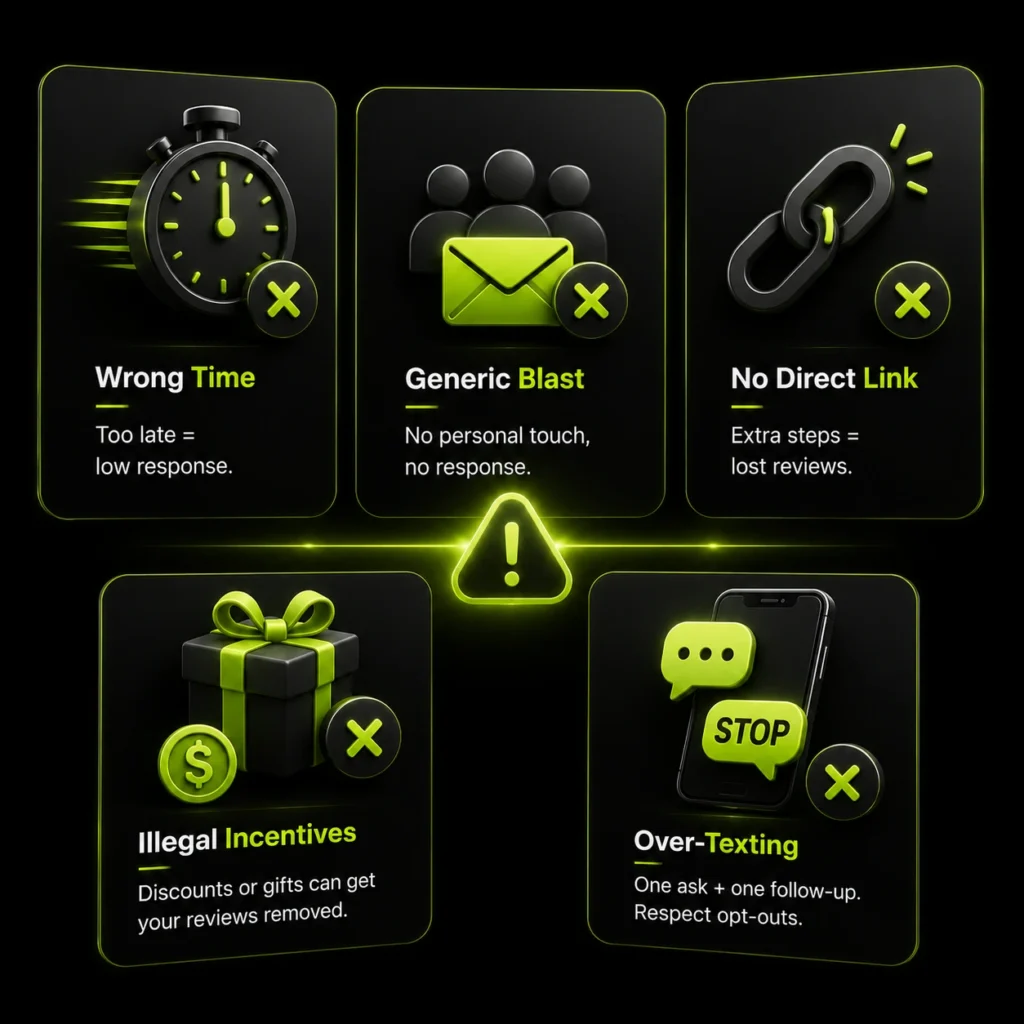
Sending at the Wrong Time
A request sent days or weeks later lands after the experience has faded. Timing beats wording, so a mistimed message underperforms no matter how well it is written. Send while the visit is still fresh, ideally within 24 to 48 hours.
Blasting a Generic Bulk Message
A faceless “Please review us” sent to everyone at once reads as spam. No name, no service detail, no personal touch means low responses and higher opt-outs. Personalisation is what separates a request that converts from one that gets ignored.
Forgetting the Direct Link
Asking for a review without a one-tap link forces the customer to search for your profile, and most will not bother. Every extra step loses people. Always include a short, direct link straight to your review page.
Incentivising or Cherry-Picking Illegally
Offering discounts or gifts for reviews violates the policies of Google and every major platform, and it can get your reviews removed or your profile flagged. Ask sincerely, and only from customers who had a genuinely good experience.
Over-Texting and Ignoring Opt-Outs
Sending repeated texts or ignoring a STOP request breaks trust and compliance rules at the same time. One well-timed ask plus a single follow-up is enough. Beyond that, you are training customers to tune you out.
How Many Review Requests Should You Send?
The honest answer is fewer than most businesses think. One well-timed request, followed by a single reminder, is usually the ceiling. Beyond that, you get diminishing returns and rising annoyance.
The reason is fatigue. SMS opt-out rates stay low, typically between zero and one and a half percent, but that only holds while messages feel relevant and rare. Push too hard, and customers reply STOP or mark your emails as spam, which quietly damages deliverability for everyone on your list. A damaged sender reputation costs you far more than the extra review you were chasing.
The practical rhythm for most local businesses is simple. Send one request per completed interaction, add one follow-up to non-responders across the other channel, then stop and wait for the next genuine service moment. Volume comes from asking every satisfied customer once, consistently, not from asking the same customer repeatedly. That steady cadence is how you build review count without burning your list. As your review profile grows, it also becomes important to understand the differences between Google Alerts vs reputation monitoring for tracking new mentions and feedback online.
Does Channel Choice Affect Review Quality?
Yes, the channel subtly shapes the kind of review you get, not just how many. SMS tends to produce quick, short reviews because customers respond in the moment on a small screen, which is great for volume and speed. Email tends to produce longer, more detailed reviews, since people have more space and a calmer setting to write. Detailed reviews carry extra weight, because consumers trust written specifics more than a bare star rating. If you want both volume and depth, this is another reason to use SMS and email together rather than choosing one, and to keep your overall approach aligned with sound review management.
Best Practices for Both Channels
Whichever channel you use, a few rules decide whether a request converts or gets ignored.
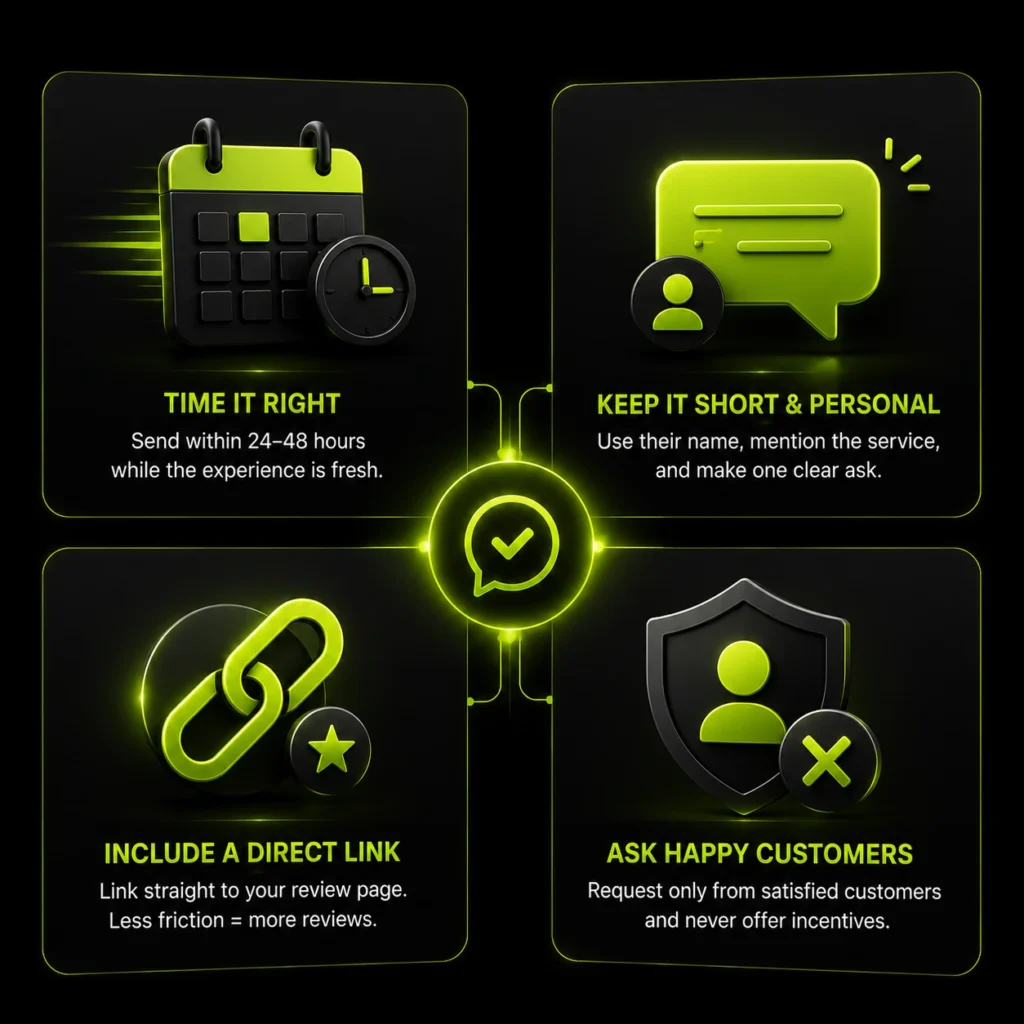
Time It Right
Send within 24 to 48 hours of the interaction, while the experience is still fresh. Wait too long, and the customer forgets the details, or the goodwill fades. Immediately after a positive moment is the sweet spot.
Keep It Short and Personal
Use the customer’s name, mention the specific service, and make one clear ask. A message that feels personal earns far more responses than a generic blast. For SMS especially, brevity is everything.
Include a Direct Review Link
Always link straight to your review page, ideally your Google Business Profile. Every extra tap or search loses people. A short, trackable link removes friction and lifts completion rates. This is a big part of how you get more Google reviews consistently.
Ask Only Happy Customers, and Never Incentivise
Request reviews from customers who had a good experience, and never offer payment or discounts in exchange. Paying for reviews breaks the policies of Google and every major platform.
Compliance: The Rules You Cannot Ignore
Review requests are governed by real laws, and the rules differ by channel. This is general guidance, not legal advice, so confirm the current requirements for your situation.
For SMS, the key framework in the US is the Telephone Consumer Protection Act, or TCPA. It generally requires prior express consent before you text someone, and every message must offer an easy opt-out, such as replying STOP. Business texting also involves carrier registration rules that affect deliverability. Businesses that do not want to manage these processes internally often look for a BrightLocal managed service alternative.
For email, the CAN-SPAM Act sets the standard. It requires accurate sender information, a truthful subject line, a valid physical address, and a working unsubscribe link in every message. Ignoring these rules risks penalties and damages your sender’s reputation.
| Requirement | SMS (TCPA) | Email (CAN-SPAM) |
|---|---|---|
| Prior consent | Yes, express consent needed | Recommended, not strictly required |
| Opt-out | Must offer (reply STOP) | Must include unsubscribe link |
| Sender identity | Clear business identity | Accurate name and address |
| Main risk of breach | Fines and carrier blocking | Fines and spam flagging |
Sample Review Request Templates
Here are simple, compliant templates you can adapt for each channel. Keep your own version short, personal, and linked.
SMS template:
Hi [Name], thanks for visiting [Business] today. We’d love a quick review: [link]. Reply STOP to opt out.
Email template:
Subject: How did we do, [Name]?
Hi [Name], thank you for choosing [Business]. Your feedback helps us and other customers. If you have a moment, please leave us a quick review here: [link]. It only takes a minute, and we truly appreciate it.
Thanks, [Your Name], [Business]. [Address]. Unsubscribe: [link].
Match the tone to your brand, keep the ask singular, and always send to customers who had a good experience.
Frequently Asked Questions
Are SMS or email review requests more effective?
SMS gets higher open and response rates, with opens near 98% versus around 20% for email. But email sends the most review requests overall and suits detailed, branded messages. The most effective approach for most businesses is to use both, with SMS for immediacy and email for reach.
What is the best time to send a review request?
Within 24 to 48 hours of the customer’s visit or purchase, while the experience is still fresh. Sending too late lowers response rates because the details and goodwill fade. Right after a positive interaction is ideal.
Do I need permission to text customers for reviews?
Yes. In the US, the TCPA generally requires prior express consent before sending business texts, and every message must include an easy opt-out like replying STOP. Always collect consent before texting.
Should I use SMS or email for my industry?
Use SMS for immediate, in-person service businesses like restaurants, salons, clinics, and home services. Use email for relationship-based or online businesses, older audiences, and larger automated campaigns. Many businesses benefit from combining both.
How can I get more customers to leave reviews?
Ask promptly, keep the message short and personal, and include a direct link to your review page. Request reviews only from satisfied customers, follow up once if there is no response, and never offer incentives, which violates platform rules.
Can I ask customers for reviews by text message?
Yes, but only with their consent. Under the US TCPA, you need prior express permission before texting a customer for a review, and every message must include an easy opt-out like replying STOP. Collect consent at booking or checkout, then a short text with a direct review link is one of the fastest ways to get a response.
What is a good response rate for review requests?
SMS review requests average around a 45% response rate, while email sits closer to 6%. Actual results vary by timing, personalisation, and how happy the customer was. A request sent within 24 to 48 hours with a direct link and the customer’s name will always outperform a late, generic blast.
How do I get customers to leave a Google review?
Ask promptly through SMS or email, keep the message short and personal, and include a one-tap link straight to your Google Business Profile. Request reviews only from satisfied customers, follow up once if there is no response, and never offer payment or discounts, which breaks Google’s policies.
Is it better to text or email for review requests?
Text for speed and email for reach. SMS gets opened almost every time and works best right after an in-person service. Email suits detailed, branded messages, older audiences, and larger automated campaigns. Most local businesses get the most reviews by using both together.
Do review request texts work for small businesses?
Yes, and often better than for large brands. Local businesses have direct, recent contact with customers, which is exactly when a text lands best. With consent, a well-timed SMS shortly after service is one of the cheapest, highest-response ways for a small business to grow its Google reviews.
Conclusion
SMS and email review requests are not really rivals. SMS wins on speed and visibility, getting seen and answered within minutes, which makes it perfect for the moment right after good service. Email wins on reach, branding, and follow-up, and still carries the majority of review requests. For most local businesses, the smart move is to combine them: a quick text to catch high-intent customers, backed by email to reach everyone else, all sent on time and within the rules. If you would rather have this handled automatically and compliantly, a done-for-you review generation service takes the whole process off your plate.