Can You Remove Fake Google Reviews? Here Is the Honest Answer
Quick Answer
Fake Google reviews can be removed when they violate Google’s review policies. Google does not remove reviews simply because a business owner disagrees with them, but reviews containing fake content, spam, conflict of interest, or prohibited material qualify for permanent removal when properly reported and escalated. The process takes 3 to 28 days, depending on the severity of the violation and whether escalation is required.
Introduction
Fake Google reviews CAN be removed when they violate Google’s review policies. Rank Repute has successfully removed fake reviews for hundreds of local businesses through its negative content removal process and documented escalation strategies.
If you have received a review from someone who was never your customer, a review posted by a competitor, or a review that contains completely fabricated details, you are not stuck with it. Google’s review policies explicitly prohibit fake and spam content, and the platform does act on properly submitted removal requests.
What most business owners do not know is that the standard “flag this review” button is only the first step in a multi-stage process. Most fake review removal attempts fail because business owners stop at step one. This guide covers every step, including what to do when Google initially dismisses your request.
What Makes a Review “Fake” Under Google Policy
Google’s review policies define specific categories of content that qualify for removal. Not every negative review qualifies. Understanding the difference between a removable fake review and a genuine negative review is one of the most important steps before investing time in the removal process. In many situations, a professional response can be more effective than removal, which is why businesses should understand the best practices for responding to negative reviews before deciding how to proceed.
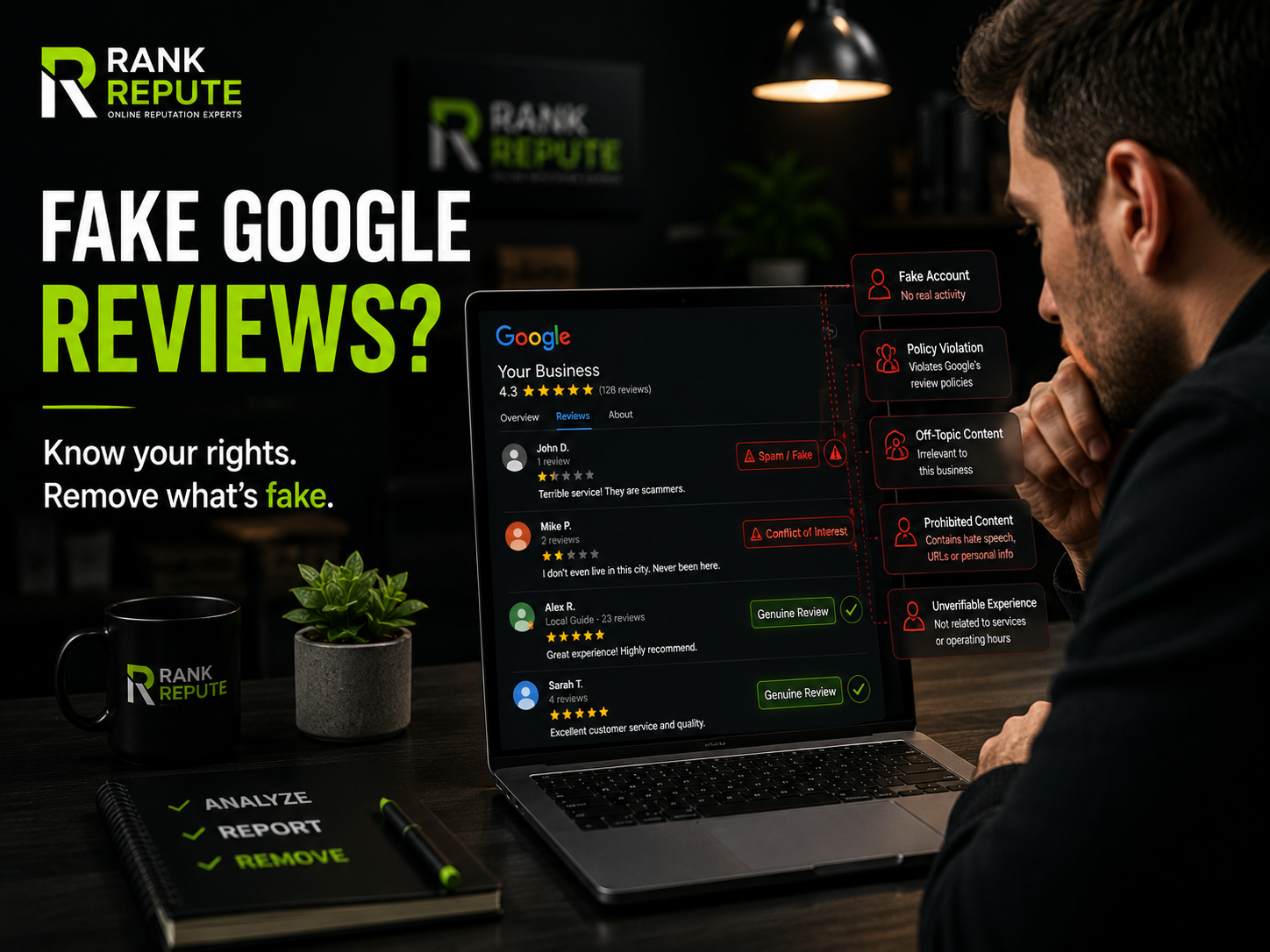
Google will act on a review that falls into one of these categories:
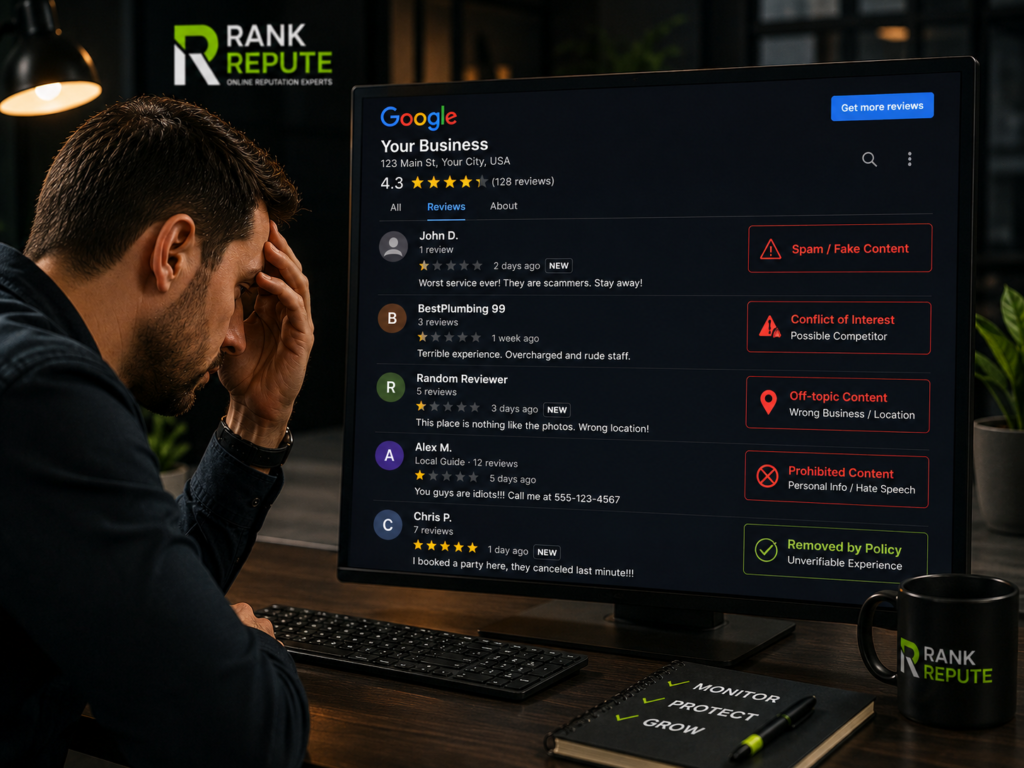
- Spam and fake content — Reviews posted by someone who never visited or used your business, bulk reviews from the same device or IP address, or reviews clearly written to artificially manipulate your star rating
- Conflict of interest — Reviews posted by current or former employees, reviews posted by the business owner about their own business, or reviews written by direct competitors
- Off-topic content — Reviews describing a different business entirely, a wrong location, or an experience that has no connection to your business type or services
- Prohibited content — Reviews containing hate speech, personal attacks, URLs, phone numbers, or personally identifiable information about staff or customers
- Unverifiable experiences — Reviews describing events, products, or services your business does not offer, or visits during periods when your business was not operating
A genuine negative review from a real customer who had a bad experience does not qualify for removal under these policies, even if the claims feel unfair or exaggerated. Google’s system is built around what the review contains, not whether the business owner agrees with it.
How to Report Fake Google Reviews: Step-by-Step
Reporting a fake review through the correct process significantly increases the probability that Google acts on the request. Most unsuccessful removal attempts happen because the report was vague, missing evidence, or submitted through the wrong channel.
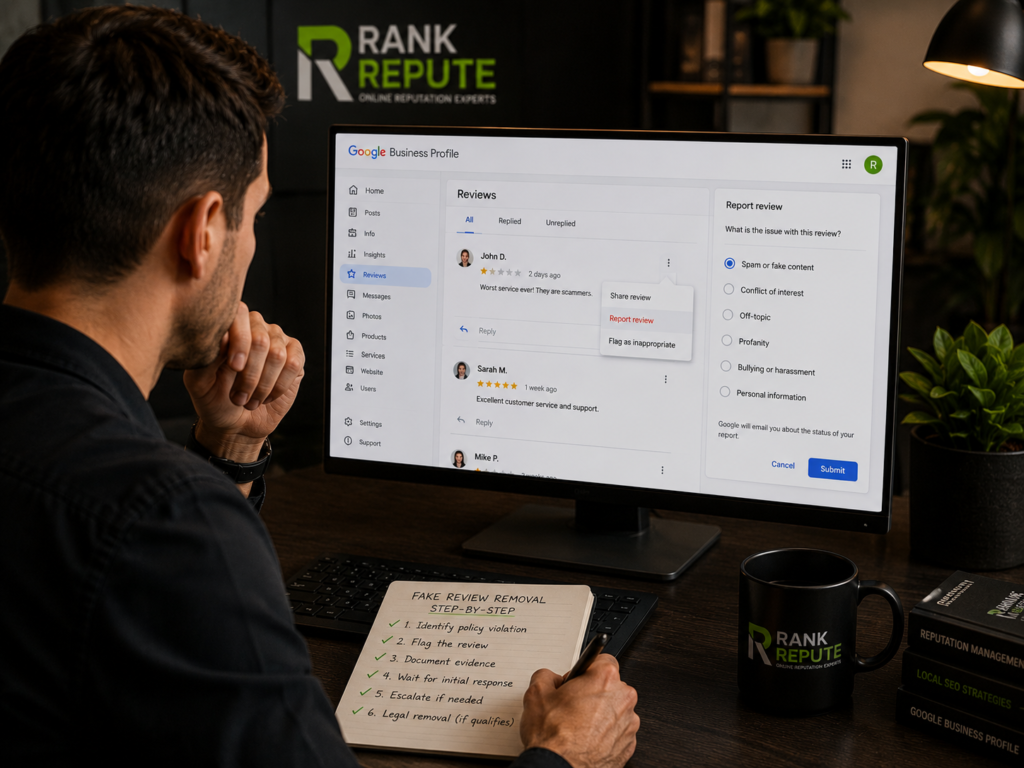
Step 1 — Match the review to a specific policy violation
Before touching the flag button, identify exactly which Google policy the review violates. A report that states “this review is fake” with no supporting reason gets dismissed automatically. A report that states “this review was posted by a competitor account with no prior review history and describes a service we do not offer” gives Google something to evaluate.
Step 2 — Flag the review through Google Business Profile
Log in to your Google Business Profile at business.google.com. Businesses already investing in GBP optimization usually identify suspicious review activity much faster. Navigate to the Reviews section. Find the review, click the three-dot menu to the right of it, and select “Report review.” Choose the violation category that most closely matches the policy the review breaks. Submit the report. Google will send an email confirming the report was received.
Step 3 — Document your evidence immediately
While waiting for Google’s response, collect all evidence supporting your claim. Appointment records or booking system data showing the reviewer was never a customer, screenshots of the reviewer’s Google profile showing suspicious activity, and any other documentation that supports your case should be saved and organized. You will need this if escalation becomes necessary.
Step 4 — Wait for Google’s initial response
Google typically responds to flagged reviews within 3 to 7 business days. In many cases, the initial response is an automated message stating the review does not violate its policies. This is not a final decision. It is the point at which most business owners give up, and the point at which the real removal process begins.
Step 5 — Escalate through Google Business Profile support
If Google’s automated response dismisses your report, escalate directly through Google Business Profile support. Open Google Business Profile, go to the Help section, and select “Contact us.” Explain that you have already flagged the review, received an unsatisfactory automated response, and are requesting a manual review by a human support specialist. Attach your evidence directly to this support request. Manual reviews take 2 to 4 weeks but have a significantly higher removal rate than initial automated reports.
Step 6 — Submit a legal removal request if the content qualifies
If the review contains defamatory statements, false statements of fact presented as true, or private personal information, Google accepts legal removal requests through its dedicated legal troubleshooter at support.google.com/legal. This is a separate process from standard policy reporting and applies to a narrower category of content. Legal removal requests are evaluated by Google’s legal team rather than its standard content moderation system.
When Google Removes Fake Reviews and When It Does Not?
Understanding which fake reviews Google removes quickly, which require escalation, and which are unlikely to be removed saves significant time and prevents frustration.
Reviews Google removes quickly (within 3 to 7 days)
Reviews posted from accounts created the same day the review was published. Reviews that are word-for-word identical to reviews left on multiple other businesses within the same 24-hour period. Reviews referencing products, services, or locations your business has never offered. These cases present clear, verifiable policy violations that Google’s automated system can identify without manual review.
Reviews that require escalation (2 to 4 weeks)
Reviews from accounts with some legitimate history that still show suspicious patterns. Reviews that describe implausible experiences without referencing specific impossible details. Reviews from accounts connected to competitor businesses through Google Maps activity. These cases require a human reviewer to evaluate the evidence you provide, which is why having documentation ready before escalating matters.
Reviews, Google typically does not remove
Negative reviews from real customers describing genuine bad experiences, even if the account is anonymous or the review feels unfair. Reviews that are negative in tone but do not violate a specific Google policy. Reviews where the reviewer’s identity cannot be definitively linked to a policy violation. In these cases, ongoing reputation monitoring and a strong response strategy are more effective than attempting removal.
What Happens After You Report a Fake Google Review
After submitting your initial report, one of three outcomes follows.
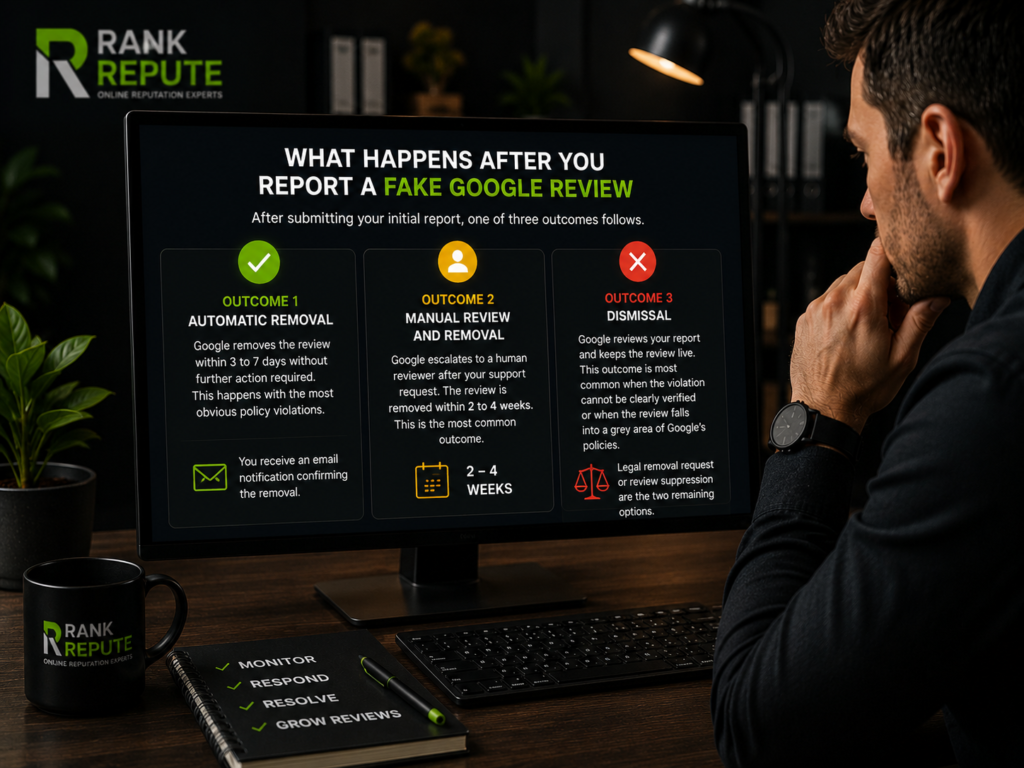
Outcome 1 — Automatic removal: Google removes the review within 3 to 7 days without further action required. This happens with the most obvious policy violations. You receive an email notification confirming the removal.
Outcome 2 — Manual review and removal. Google escalates to a human reviewer after your support request. The review is removed within 2 to 4 weeks. This is the most common outcome for fake reviews that are less obviously spam but still violate a specific policy.
Outcome 3 — Dismissal: Google reviews your report and keeps the review live. This outcome is most common when the violation cannot be clearly verified or when the review falls into a grey area of Google’s policies. At this point, a legal removal request or a review suppression strategy through review generation are the two remaining options.
How to Prove a Google Review Is Fake
The strongest removal requests include evidence that directly supports the claimed policy violation. Here is what carries the most weight with Google’s review team.
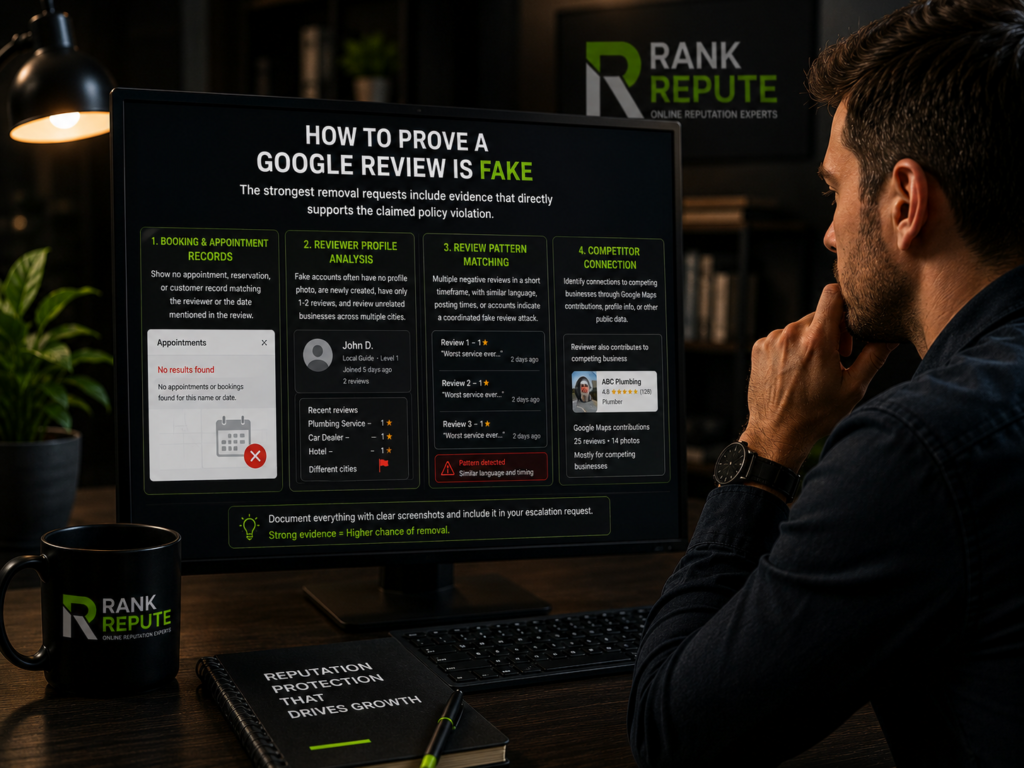
Booking and appointment records: A screenshot or export from your booking system showing no appointment, reservation, or customer record matching the reviewer’s name or the date referenced in the review is the most straightforward evidence type. This works especially well for medical practices, salons, restaurants with reservation systems, and any service business that maintains appointment records.
Reviewer profile analysis: A Google account that has no profile photo, was created within days of posting the review, has only posted one or two reviews ever, and has reviewed businesses in completely unrelated industries across multiple cities in the same week shows a clear pattern of fake account activity. Screenshot the reviewer’s full profile before reporting.
Review pattern matching. If multiple negative reviews appeared on your profile within a short window, all with similar language patterns, similar posting times, or similar accounts, this pattern constitutes strong evidence of a coordinated fake review attack. Document the pattern in your escalation request.
Competitor connection: If you can identify that the reviewer is connected to a competing business through their Google Maps contributions, shared profile information, or other public data, include that connection in your report. Negative content removal for competitor-driven fake reviews often requires this type of documented connection to succeed.
What to Do When Google Will Not Remove the Fake Review
If the removal process fails after escalation, two strategies remain effective.
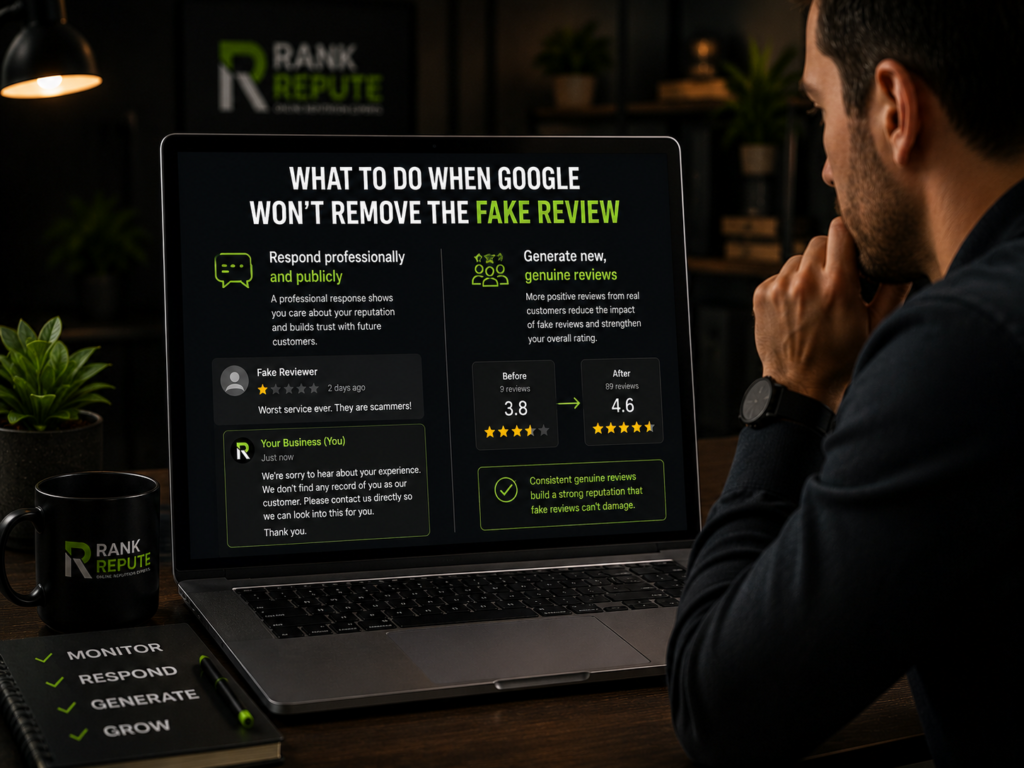
Respond professionally and publicly
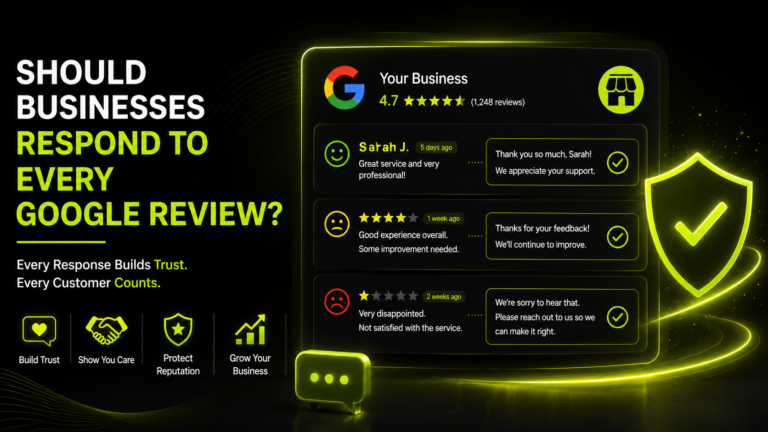
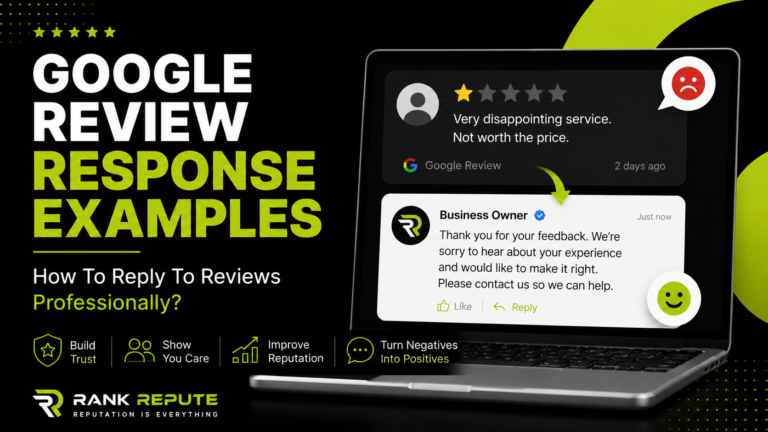
A well-written response to a fake review does two things. It signals to every future reader that you are a professional business that takes its reputation seriously. It also creates a public record that presents your side of the situation without being defensive or accusatory.
Keep the response under 100 words. Acknowledge that you have no record of the reviewer as a customer. Invite them to contact you directly to resolve any concerns. Do not use the word “fake” in the response. Do not argue, threaten, or become emotional. The response is not for the reviewer; it is for the next 500 people who read it.
Generate new, genuine reviews to reduce the impact
A business with 90 reviews and a 4.6-star rating is not meaningfully damaged by one fake negative review. A business with 9 reviews and a 3.8 rating is severely damaged by the same review. Consistent review generation is the most effective long-term defense against fake reviews that survive the removal process.
When you consistently generate genuine 5-star reviews from real customers, each new review mathematically reduces the weight of the fake one. At sufficient review volume, a single fake review becomes statistically irrelevant to your overall rating.
How Rank Repute Handles Fake Review Removal for Clients
Managing fake review removal requires time, documentation, and persistence through Google’s multi-stage process. Most business owners do not have the time or familiarity with Google’s escalation channels to see the process through effectively.
Rank Repute manages the complete fake review removal process for local business clients, including initial policy assessment, evidence collection, report submission, escalation through Google Business Profile support, and legal removal requests where applicable. For reviews that cannot be removed, our review management team handles professional response writing and deploys review campaigns to reduce the fake reviews’ visibility impact over time.
If fake reviews are affecting your Google rating, start with a free audit to get a complete picture of your current review profile, suspicious review activity, and the fastest path to improving your overall rating.
FAQ
Q: Can you get fake Google reviews removed?
Yes. Fake Google reviews can be permanently removed when they violate Google’s review policies, including spam, fake content, conflict of interest, off-topic material, or prohibited content. Professional ORM services can also help manage escalation, evidence collection, and long-term reputation protection. The process requires reporting through Google Business Profile and, in most successful cases, escalating to a human support specialist with supporting evidence. Reviews that clearly violate policy are typically removed within 3 to 7 days. Cases requiring manual review take 2 to 4 weeks.
Q: How do you prove a Google review is fake?
Proving a review is fake requires matching it to a specific Google policy violation and providing documentary evidence. The strongest evidence types include booking or appointment records showing no customer record for the reviewer, screenshots of the reviewer’s Google profile showing suspicious account activity, and pattern documentation if multiple fake reviews appeared simultaneously. Evidence submitted during the escalation stage carries more weight than the initial automated report.
Q: How long does it take Google to remove a fake review?
Google responds to initial review flags within 3 to 7 business days. Clear policy violations are often removed within that window. Cases requiring manual review after escalation take 2 to 4 weeks. Legal removal requests involving defamatory content or private information are evaluated on a case-by-case basis and can take longer depending on complexity.
Q: What happens if Google refuses to remove a fake review?
If Google dismisses your removal request after escalation, a legal removal request through Google’s legal troubleshooter is the next option for reviews containing defamatory content. For reviews that do not meet the legal removal threshold, responding professionally to the review and generating new genuine reviews to reduce its impact are the two most effective strategies. A single fake review becomes far less damaging when surrounded by a high volume of genuine positive reviews.
Q: Can a competitor post fake Google reviews about my business?
Yes, and it is a direct violation of Google’s conflict of interest policy. Competitor-driven fake reviews are among the most commonly successfully removed category when documented properly. If you can connect the reviewing account to a competing business through public Google Maps activity, shared business information, or other verifiable data, include that connection in your removal report and escalation request.
Q: Does responding to a fake review make it worse?
A poorly written response can make the situation worse. An accusatory, emotional, or lengthy response to a fake review signals poor reputation management to every future reader. A professional, brief response that notes you have no record of the reviewer and invites direct contact is the correct approach. The goal of responding to a fake review is not to convince the reviewer; it is to demonstrate professionalism to every potential customer who reads the exchange afterward.
Conclusion
Removing fake Google reviews is possible but requires a structured, evidence-based approach through Google’s multi-stage reporting and escalation process. Businesses that understand which reviews qualify for removal, document their evidence properly, and persist through escalation get results. Businesses that rely on the standard flag button alone rarely do.
If fake reviews are affecting your rating and you want a team to manage the removal process for you, Rank Repute’s negative content removal service handles everything from initial assessment through escalation and follow-up. Start with a free reputation audit to find out exactly what is on your profile and what it will take to fix it.